Showing posts with label iPod. Show all posts

Feb 2, 2012

This Prototype With Camera is Next iPod Nano?

Summary : Earlier today, few new photos surfaced online to suggest that Apple's next iPod nano might be freshly redesigned - with a built-in camera. Few hours later after the report surfaced, China-based M.I.C. Gadget verified the prototype with its Chinese factory source, however, there are problems with its camera.

  • PandaApp Editor
  • Current Device: HTC Chacha
  • Future Device: iPhone 5.6.7.8...iPad 2.3.4.5...
  • Introduction:Tracing new technology like fashion!
Earlier today, few new photos surfaced online to suggest that Apple's next iPod nano might be freshly redesigned - with a built-in camera. Few hours later after the report surfaced, China-based M.I.C. Gadget verified the prototype with its Chinese factory source, however, there are problems with its camera.
M.I.C. Gadget:
According to our factory sources, Apple have problems with the lens aperture for the next-gen iPod nano, the iris is not functioning correctly to allow the advantages of the low aperture to be utilized. Every shot was overexposed. Apple intends to correct its mistake, but the problem still exists in this prototype that is manufactured two months ago. What's more, a 2-megapixel camera was tested, but it was unsatisfactory - the photos look washed-out and flat. The good news is… this 2-month-old prototype is close to final product, the UI is done.
Its thought that the new iPod Nano will be released with camera in the first or second quarter of 2012.
Take a look at the images below, what do you think about the design?
via iclarified

Jan 30, 2012

How to Jailbreak Your iPad 2 Running iOS 5.0.1

Summary : These are instructions on how to perform an untethered jailbreak of your iPad 2 running iOS 5.0.1 using Absinthe for Windows.

  • PandaApp Editor
  • Current Device: iPhone 3GS, Omnia 7, iPad 1
  • Future Device: iPhone 5
  • Introduction:Techni-Geek live a life in Technicolor!
These are instructions on how to perform an untethered jailbreak of your iPad 2 running iOS 5.0.1 using Absinthe for Windows.

Warning***: Before you continue make sure to do a backup of your device in iTunes as you may lose your Camera Roll during this process.


Step One
Download the latest version of Absinthe from here.
Step Two
Double click to extract the downloaded archive and launch the Absinthe application.


Step Three
As prompted, connect your iPad 2 to the computer via USB. Make sure to remove any passcodes or VPN settings you've previously set.


Step Four
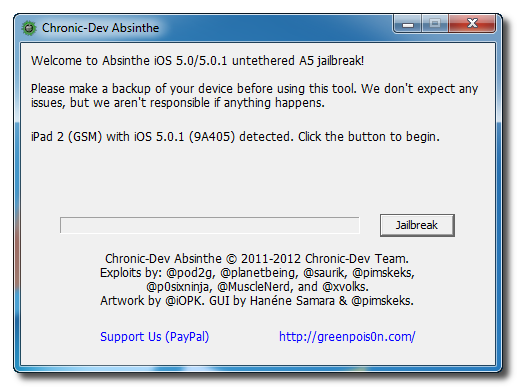
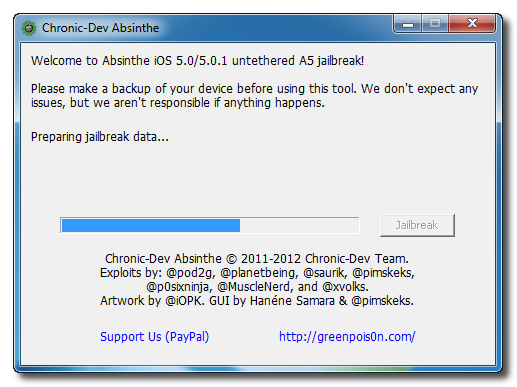
Click the Jailbreak button to begin


Step Five
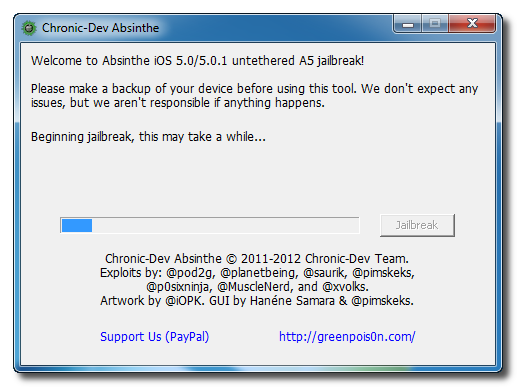
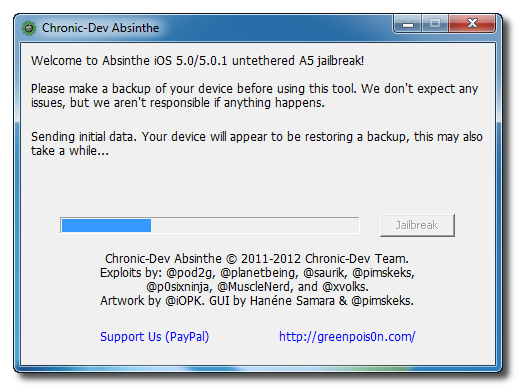
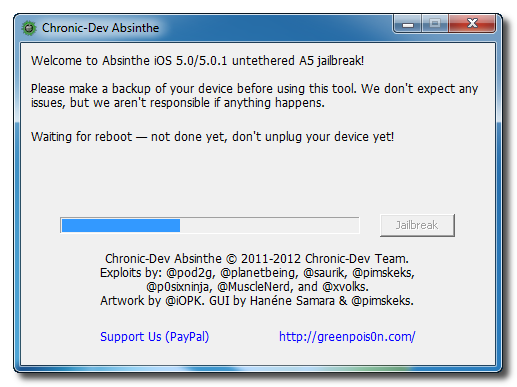
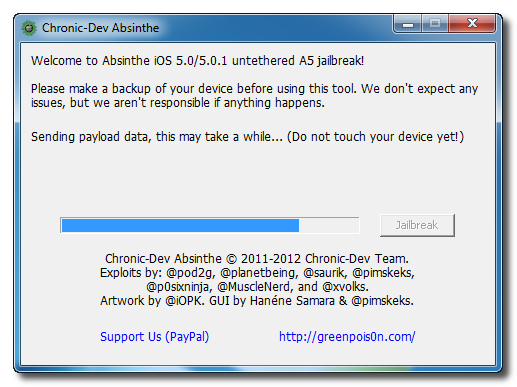
The application will take you through several steps of the jailbreak: Sending initial data, waiting for reboot, waiting for device to finish booting, Preparing jailbreak data, and Sending payload data.


Step Six
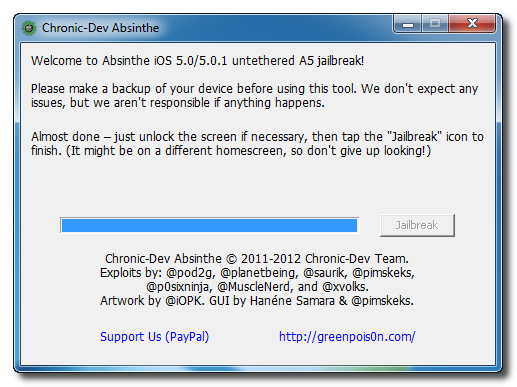
You will be informed that the jailbreak is 'Almost done'.


Step Seven
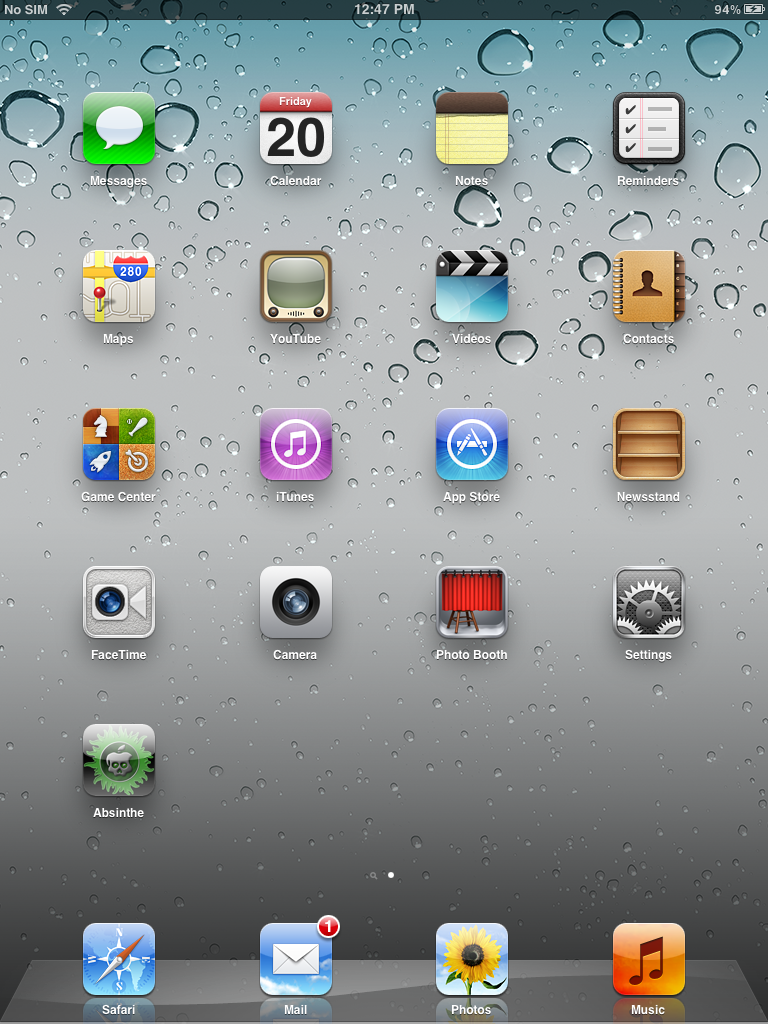
On you device, locate the Absinthe icon and press it to complete your jailbreak. It could be on any homescreen.


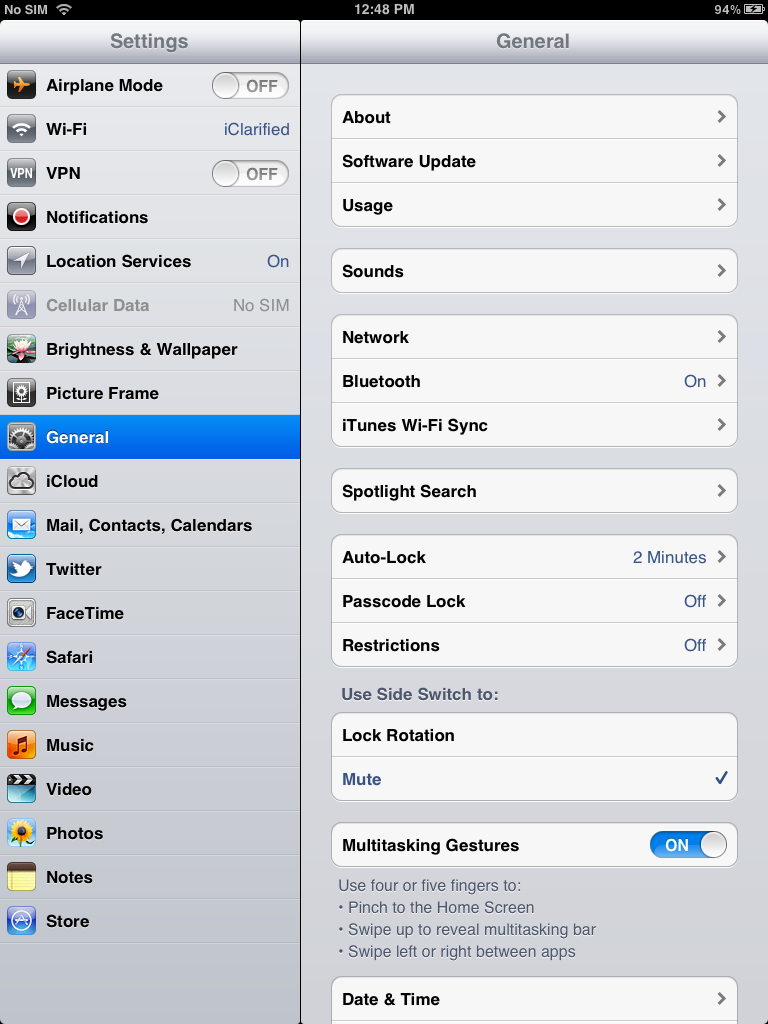
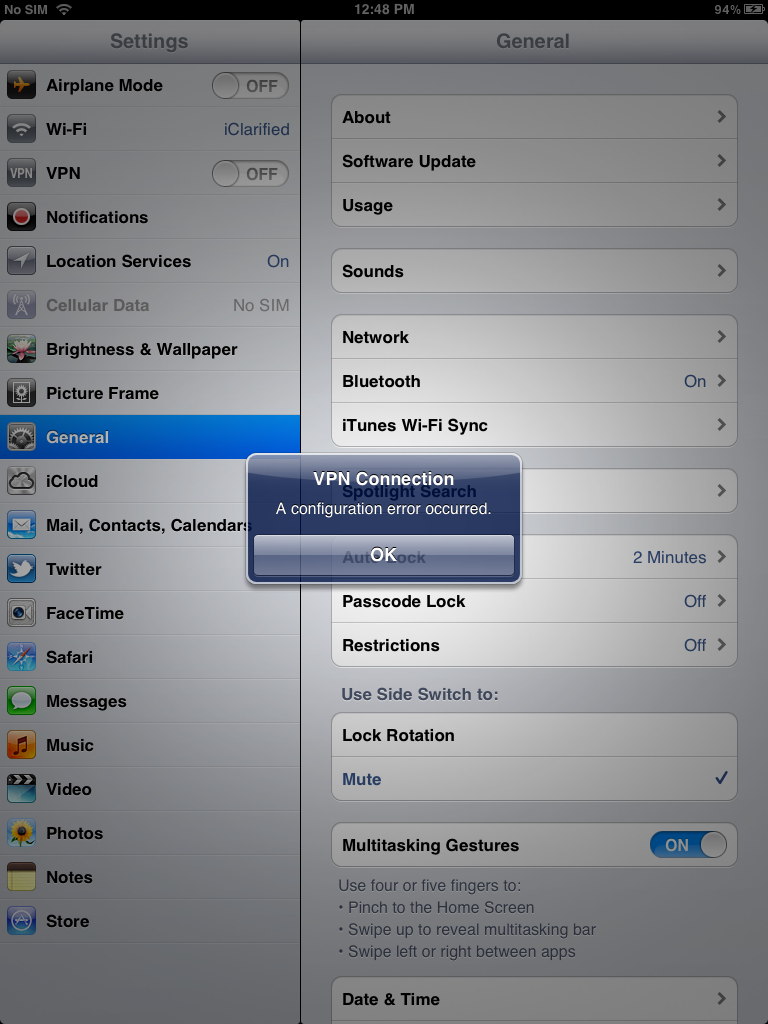
If the server is down and you get an Error establishing a database connection message then tap the Settings icon on your springboard and turn on VPN.


You will get a configuration error; however, after about a minute your device will reboot.


Once your device restarts you will be jailbroken with Cydia on the Springboard!
via iClarified

Jan 26, 2012

How to Get iOS 5 to Your iPhone 3G, iPhone 2G, iPod Touch 1G And iPod Touch 2G

Summary : If you were crying in the corner because Apple did not provide support for your older iDevice, it’s time you get back up and try out Whited00r 5.1. Whited00r 5.1 brings almost all the new features of iOS 5, such as multitasking, Reminders, video recording, service like iCloud and more.


  • PandaApp Editor
  • Current Device: HTC Chacha
  • Future Device: iPhone 5.6.7.8...iPad 2.3.4.5...
  • Introduction:Tracing new technology like fashion!
 
Last Summer, Apple unveiled the latest version of its mobile operating system, iOS 5. The update contained more than 200 new features including iMessage, iCloud, and a revamped Notification Center. If you were crying in the corner because Apple did not provide support for your older iDevice, it’s time you get back up and try out Whited00r 5.1. Whited00r 5.1 brings almost all the new features of iOS 5, such as multitasking, Reminders, video recording, service like iCloud and more.
Now the team is back with a customized version of iOS 5. Installing it is as easy as downloading the firmware from the Whited00r website, and running iTunes. But before you get started, there are a few things you should know.
First of all, the custom firmware is missing some of iOS 5′s biggest features, including Notification Center and the App Store (yeah, no App Store). And its iCloud component is really just a front-end for a redesigned DropBox-sync feature.
But on the plus side, it does contain several iOS 5 features. And the ever-important multitasking and custom wallpapers are there. It even includes a host of pre-installed jailbreak tweaks and of course, the Cydia Store.
Although, you will not have the same iOS 5 notifications and we cannot guarantee how smooth it will work on your older iDevice. But, if the happy reviews from happy customers are to be believed, then it must run pretty well. For users who rely on a software unlock, there is custom version that can be installed to preserve the iPad baseband 6.15.00.
Have you tried Whited00r 5.1 out yet? What do you think?
via ijailbreak

iPod touch Gets Siri By Restoring From An iPhone 4S Backup [VIDEO]

Summary : We’ve seen all of the attempts by developers to try and port Siri to non-Apple-supported devices, but all they ways look so complicated. Until we see this video, it appears this guy did it just by simply restoring his iPod touch from an iPhone 4S profile.

  • PandaApp Editor
  • Current Device: HTC Chacha
  • Future Device: iPhone 5.6.7.8...iPad 2.3.4.5...
  • Introduction:Tracing new technology like fashion!
 
We’ve seen all of the attempts by developers to try and port Siri to non-Apple-supported devices, but all they ways look so complicated. Until we see this video, it appears this guy did it just by simply restoring his iPod touch from an iPhone 4S profile.
How’d it happen? Well as Gordon tells it, he recently purchased a late-model white iPod touch. And instead of setting it up as a new device, he decided to restore it from an iCloud backup made from his iPhone 4S…
When the restore was complete, the entire Siri interface had been installed. And although he hasn’t gotten the assistant to connect with Apple’s servers yet, he claims that the Dictation component works flawlessly. Interesting.
Want to see it in action? Cult of Mac contributor Michael Steeber has uploaded a video of the purported iPod touch, with Siri running. The device has been jailbroken, but there doesn’t appear to be any Siri-related tweaks installed.
It’s important to note, before you go trying this on your own, that restoring a device from another’s backups is pretty dangerous. It can lead to bricking, essentially turning a device into an expensive paperweight.
We’re still a bit skeptical about the whole thing, but we have to admit, it is intriguing.
What do you think? Real or fake?


via idownloadblog

Twitter Delicious Facebook Digg Stumbleupon Favorites More