Pre Requisites:
Note:In the process of the firmware update you will be losing all the data which is there in the phone which includes SMS, Contacts, images, videos, songs and other files which is there in the phone memory. You can move all the data to your phone’s internal / external SD card so that the data is safeguarded from getting deleted or corrupted.
Note that you need to ensure that you atleast have a computer / laptop installed with Windows XP/ Vista / 7. As of now the Odin flash tool doesn’t support Mac, as soon as it gets supported we will let you know about the same. Also, ensure that you have admin privileges in your computer as it requires you to have the open USB ports with full read / write access.
Apart from the above things another important thing is that you also need to note down the APN Settings as well as the MMS Settings as both are responsible for Internet access and for sending the MMS Messages from your phone. Both of these settings can be backed from the path of Applications > Settings > Wireless and Network > Mobile Networks > Access Point Names.Note that you only use the Odin version which is there in this article as if you continue to proceed with any other version then there is a possibility of failure in firmware update.
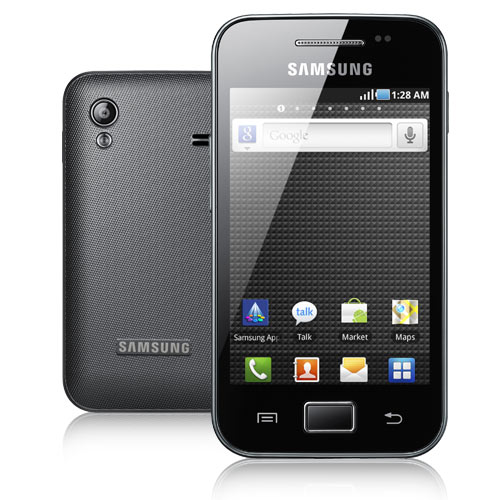
Please note that this update can only applied to the Samsung Galaxy Ace S5830 phone and not to any other handsets with similar looking model numbers as it has been found that there are some handsets with suffixes as L / B which doesn’t support this firmware.Ensure that the phone is charged to a minimum of 90% plus so as to avoid from calibrating the battery again which is a hectic process and also make use of only the USB cable which you have got along with this phone.
Special Instructions for the users on Custom ROMs: There are many components which gets installed in the phone when you are on a custom ROM, so to clear all these you will need to get into the recovery mode and then you need choose the option of Wipe data/factory reset and after that select Wipe Cache partition. Reboot your device by selecting reboot system now after selecting the former options. As soon as you do so, all the cache files and the custom ROM specific files are erased completely after which it will now become safe to proceed with the instructions.How To Update Samsung Galaxy Ace S5830 to Android 2.3.4 XWKPT Firmware?
Step 2: Then download the and unzip the
OPS File.
Step 3: Open the "Odin" executable file from the unzipped folder and then turn Off the phone so that you can then enter into the download mode by pressing down on Volume Down Key + OK button, and holding both simultaneously press the Power Button.
Step 4: Connect your phone with the computer with the Odin is opened in your computer. Then wait till the drivers are installed in the computer.
Step 5: Now you can see that the ID : COM block in the Odin will turn yellow which will confirm the same. Now all you need to do is to click on the the corresponding tabs and then choose the files as mentioned below.
OPS ¨C Cooper_v1.0.ops,
Boot ¨C APBOOT_S5830XWKPT_CL469288_REV03_user_low_true.tar.md5,
Phone ¨C MODEM_S5830XWKP7_CL407346_REV03.tar.md5
PDA ¨C CODE_S5830XWKPT_CL469288_REV03_user_low_true.tar.md5
CSC ¨C GT-S5830-csc-XEOKP2.tar.md5
Ensure that the “Re – Partition” option is not checked and is un ticked. Step 6: After you select all the files as per the above mentioned order, then click on the "Start" tab to start the process of firmware update. Now wait for the process to get completed. Step 7: After the update, the phone will be re started and you will be then prompted to select the language settings along with the Google Account credentials so that you can then access the Gmail as well as other Google products like Android Market Place etc. Step 8: Once you see the home screen, turn Off the phone so that you can then enter into the recovery mode by pressing Volume UP on Volume Down Key + OK button, and holding both simultaneously press the Power Button. Step 9: Select Wipe data/factory reset and select Wipe Cache partition and then reboot your device by selecting reboot system now option.
Note : If even after 10 -15 minutes the process doesn’t end and gets stuck then you need to ensure that you have the admin privileges in your computer.
-Now, upon successful application of the update, the phone will be re started and you will be then prompted to select the language settings along with the Google Account credentials so that you can then access the Gmail as well as other Google products like Android Market Place etc.
-Now, once you see the home screen you will now have to turn Off the phone so that you can then enter into the recovery mode. The recovery mode can be entered by pressing Volume UP on Volume Down Key + OK button, and holding both simultaneously press the Power Button. You can refer the below mentioned videoon how you can enter into the recovery mode.
-Once you get into the recovery mode, you will have to select Wipe data/factory reset and also you need to select Wipe Cache partition and then reboot your device by selecting reboot system now option. Please note that you will have to ensure that you don’t select any other options or else there is a high probability that you may end up messing up the phone or even may end up losing the data which is there in your phone.
Now, that’s it you have now successfully updated the Samsung Galaxy Ace S5830 with the latest version of firmware XWKPT 2.3.4 Gingerbread version.


 10:06 PM
 Plengs


